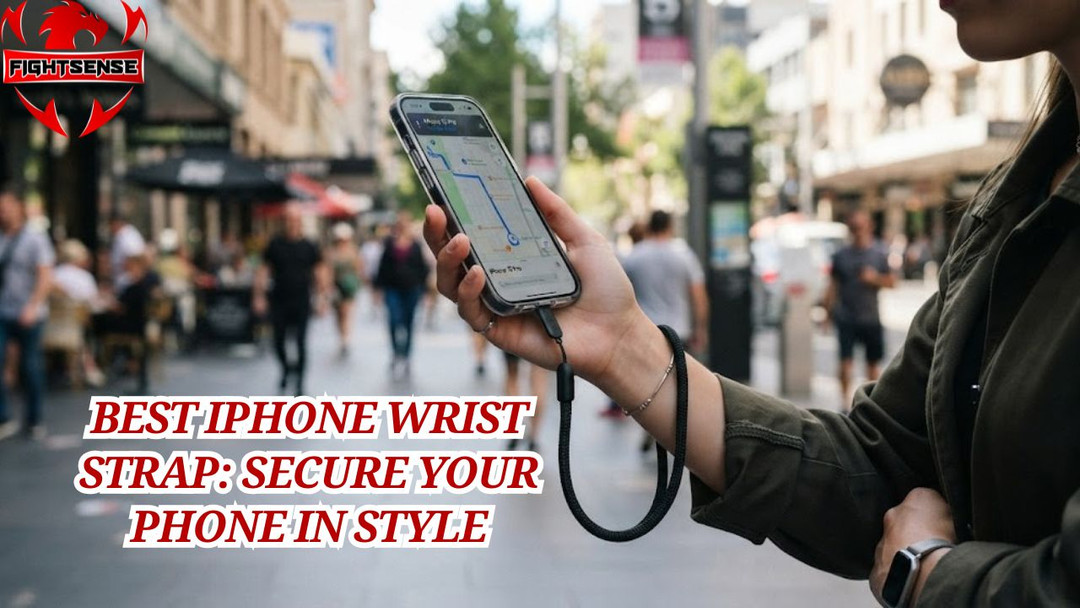
Best iPhone Wrist Strap: Secure Your Phone in Style
Dropping your phone on hard pavement is a sinking feeling every smartphone owner dreads. Whether you are navigating a crowded commute, hiking a rugged mountain trail, or trying to capture the perfect overhead shot, keeping your device safe is a top priority. Investing in a quality iPhone wrist strap is the easiest way to prevent accidental drops, giving you total peace of mind without sacrificing convenience. In this comprehensive guide, we will explore everything you need to know to choose, install, and make the most of a tether for your Apple device.
What is an iPhone Wrist Strap?
An iPhone lanyard is a specialized security tether designed to keep your Apple device securely attached to your wrist, completely eliminating the risk of accidental drops. Typically consisting of a durable cord, braided nylon, or leather loop, it connects to your smartphone via a thin anchor tab slipped inside your phone case or through dedicated eyelets on a protective bumper.
Whether you are navigating busy city streets, capturing content from high angles, or simply prone to clumsy moments, this small accessory provides reliable peace of mind by ensuring your phone never hits the concrete.
Why You Need a Secure Phone Tether
Modern smartphones are sleek, lightweight, and unfortunately, quite slippery. As screen sizes and device values increase, the cost of a single clumsy moment gets higher.
A reliable phone lanyard or hand tether offers multiple practical benefits:
- Drop Prevention: Acts as a foolproof safety net when your hands are full.
- Anti-Theft Security: Makes it significantly harder for snatch-and-grab thieves in crowded areas.
- Hand Fatigue Relief: Transfers the weight of heavier Pro Max models from your fingertips to your wrist.
- Quick Access: Keeps your camera instantly ready for action while traveling or attending events.
Types of Hand Lanyards and Phone Loops
Not all tethers are built the same. Depending on your aesthetic preferences and daily activities, you will generally find three primary categories on the market:
1. Tether Tab Inserts
These utilize a thin, durable anchor card (made of reinforced nylon or aramid fiber) that slips inside your existing phone case. A small loop extends out through the charging port cutout, allowing you to clip any standard iPhone wrist strap securely.
2. Dedicated Lanyard Cases
These are phone cases designed with built-in anchor eyelets molded directly into the bottom corners or bumper frame. They offer a seamless look and often boast higher weight-bearing limits since the stress is distributed across the case frame.
3. Universal Silicone Stretch Bands
Flexible silicone straps that stretch around the four corners of the device, featuring an integrated finger or wrist loop on the back. Similar to how fitness brands like Fightsense, known for providing top-tier weightlifting gears and weightlifting straps, engineer heavy-duty equipment for secure grip and durability.
Comparison Table: Choosing Your Style
|
Strap Type |
Case Compatibility |
Security Level |
Aesthetic Appeal |
Best For |
|
Tether Tab Insert |
Works with 95% of full-coverage cases |
High |
Minimalist / Discreet |
Everyday carry and quick swaps |
|
Dedicated Lanyard Case |
Specific brand case required |
Maximum |
Sleek and integrated |
Active travel and photography |
|
Silicone Stretch Band |
Universal (fits most phones) |
Moderate |
Casual / Sporty |
Workouts, concerts, and festivals |
How to Attach an iPhone Wrist Strap
Installing a tether tab insert is a straightforward process that takes less than two minutes. Follow these simple steps:
- Remove Your Phone Case: Take your mobile device out of its protective case.
- Insert the Tether Tab: Place the fabric anchor tab flat inside the back of the case so that the small D-ring loop points downward.
- Position the Loop: Align the anchor loop so it pokes cleanly through the bottom charging port cutout when the case is reassembled.
- Snap the Device In: Press your iPhone firmly back into the case, ensuring it is securely seated.
- Clip the Accessory: Attach the clasp of your mobile security cords to the exposed D-ring loop. Give it a gentle pull to verify everything is locked in place.
Pros and Cons of Using Mobile Tethers
Pros
- Budget-Friendly: You do not need to buy a brand-new case if you use a universal tether tab alongside your preferred Phone lanyards.
- Hands-Free Versatility: Easily let your phone dangle safely from your wrist when you need both hands free.
- Customizable Aesthetics: Mix and match different strap colors, materials, and lengths to match your outfit.
Cons
- Charging Port Interference: Cheap or overly thick tether tabs can occasionally block wired lightning or USB-C cables.
- Bulkiness: Some users find the extra hardware dangling from the bottom of the device slightly distracting.
Expert Tips for Daily Use
- Inspect the Anchor Point Weekly: Check the fabric tab or eyelet regularly for signs of fraying, especially if you use your phone tethers heavily outdoors.
- Match Materials to Your Activity: Choose waterproof nylon or paracord straps for hiking and swimming, and opt for leather or braided fabric for professional or casual daily wear.
- Pair with a Screen Protector: Even with a security cord, accidents happen. Combine your tether with a tempered glass screen protector for 360-degree defense.
Common Mistakes to Avoid
- Using Frayed Lanyards: Never trust a worn-out cord with an expensive flagship phone. Replace frayed straps immediately.
- Skipping the Case Lip: Avoid using tether tabs with open-face bumper cases that do not secure the bottom edge of the device.
- Swinging the Phone: While the iPhone wrist strap prevents drops, swinging your phone around centrifugal-force style puts unnecessary strain on the connection points.
FAQs:
1. Will a phone safety tether block wireless charging?
Most thin tether tab inserts are completely compatible with MagSafe and standard Qi wireless charging pads. However, if the metal D-ring sits directly in the center of the back glass, you may need to slide the attachment out of the way while charging.
2. Can a wrist loop hold the weight of a Pro Max model?
Yes, high-quality tether tabs made of Kevlar or reinforced nylon can easily support several times the weight of a heavy flagship phone. Always check the manufacturer's weight limit specifications.
3. Do you use a special phone case to use phone tethers ?
No. Universal tether tabs are designed to work with almost any standard, closed-bottom phone case without requiring modifications.
4. Will the tether tab scratch the back of my mobile device?
Reputable tether tabs feature smooth, soft fabric or TPU construction that will not scratch your phone's glass or titanium finish.
5. Are wrist tethers safe for active sports like running?
Yes, they provide fantastic security during runs or hikes, ensuring your phone stays secure even if you trip or stumble.
6. Can children use these accessories safely?
Wrist loops are a great way to prevent kids from dropping devices during educational screen time or family outings, provided they are supervised.
Conclusion:
A mobile security tether is a small, inexpensive accessory that delivers massive value by protecting your expensive device from catastrophic drops. By choosing the right tether style, installing it correctly, and practicing basic maintenance, you can enjoy total peace of mind wherever your day takes you.
Disclaimer:
This article is for informational purposes only. Always verify product compatibility and weight limits before using any accessory with your mobile device.