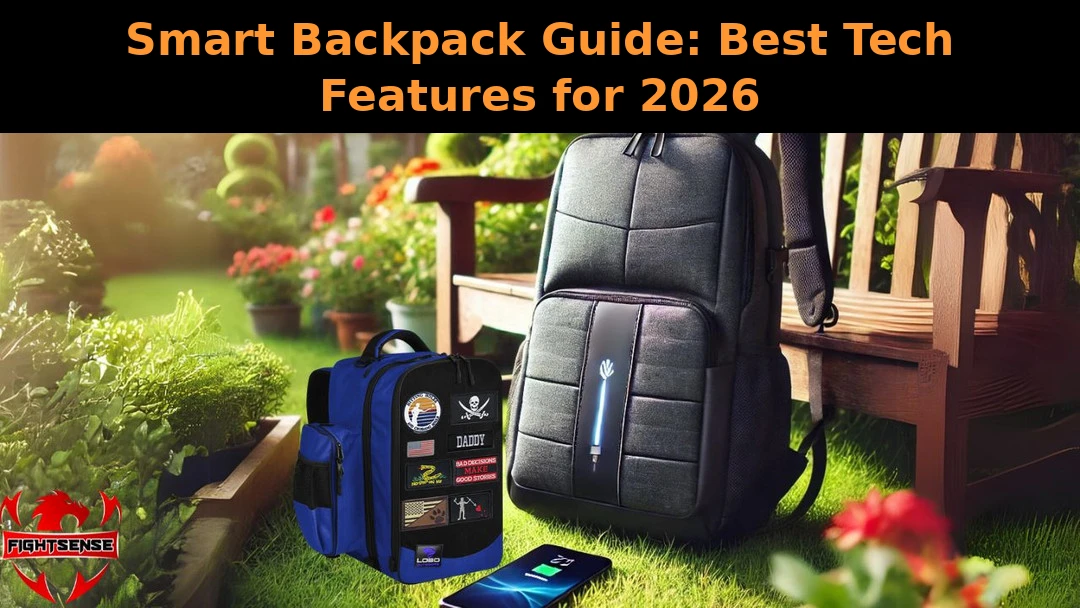
Smart Backpack Guide: Best Tech Features for 2026
Your bag carries your laptop, your phone, your wallet, and your whole day. When everything you own depends on staying charged, organized, and safe, an ordinary bag starts to feel outdated. A smart backpack brings technology and everyday carry together, so your essentials stay powered, protected, and easy to reach.
In this guide, you will learn what these bags actually do, which features are worth paying for, and how to pick the right one for work, travel, or school.
Key Features at a Glance
- Built-in USB charging port with space for your own power bank
- Padded laptop sleeve and organized tech compartments
- Anti-theft zippers and hidden back-panel pockets
- RFID-blocking card slots for crowded places
- Water-resistant fabric for all-weather commutes
- Ergonomic straps that spread the load evenly
What Is a Smart Backpack?
A smart backpack is a regular backpack upgraded with practical technology. The most common upgrade is a built-in USB port connected to a pocket where you keep your power bank, so you can charge your phone without opening the bag. Many designs also add anti-theft zippers, hidden pockets, and RFID-blocking sections that keep your cards and devices safe in crowded places.
Unlike a standard bag, it is defined by how it protects your routine, not just your gear. It keeps cables tidy, weight balanced, and valuables out of sight, which is why commuters and frequent travelers adopted the style first.
Which Tech Features Are Actually Useful?
Smart Backpack Charging Options
USB charging ports are the headline feature. You place a power bank in a dedicated inner pocket, connect a short cable, and an exterior port lets you top up your phone on the move. If you are curious about how portable power banks work, it helps to know their real-world capacity runs lower than the printed number, so pick a bank with headroom for your devices.
Built-In Security Features
Anti-theft design matters more than most buyers expect. Lockable zippers, cut-resistant fabric, and hidden back-panel pockets keep valuables out of reach, and a clip-on personal alarm for backpacks adds an extra layer of protection by drawing attention the moment you feel unsafe.
Comfortable Design for Long Days
Tech means little if the bag hurts to carry. Padded shoulder straps, a breathable back panel, and a balanced layout keep the weight close to your body, so long commutes and full campus days feel lighter.
Is It Good for Work and Commuting?
For daily commuters, the appeal is simple: your laptop stays protected in a padded sleeve, your phone charges on the train, and your work essentials stay organized. The slim, professional look fits office dress codes, and the security features give you confidence on crowded platforms. Many commuters also carry a self-defense keychain set for women on their bag strap for late-evening trips home.
What Makes It Useful for Travel?
At the airport, a smart backpack keeps travel essentials within reach: passport in an RFID-blocking slot, phone charging during layovers, and documents tucked in hidden pockets away from pickpockets. For road trips and sports weekends, FightSense also makes purpose-built gear — see this cornhole backpack comparison for a specialized option. Some travelers also pack a mini keychain pepper spray in their checked bag for personal safety at their destination.
What Should Students Consider?
Students need space for a laptop, notebooks, and chargers without the bulk. Look for a lightweight build, a padded 15-inch laptop sleeve, and enough compartments to separate tech from textbooks. Parents shopping for younger students can read our all-in-one backpack guide for parents for family-friendly picks.
Are These Bags Suitable for Both Men and Women?
Yes. Most designs come in neutral colors with adjustable straps that fit different frames, and the tech features work the same for everyone. If you want color and personality, our pink backpack style guide shows how a bold bag can still carry serious tech.
How Do You Choose the Right One?
Start with your routine: daily commute, frequent travel, or campus life. Then check the essentials — real USB charging (not just a decorative port), a laptop sleeve that fits your device, lockable zippers, and water-resistant fabric. Choosing a smart backpack that fits your routine matters more than chasing the longest feature list. For a deeper breakdown of everyday options, see our everyday carry backpack guide.
Why a Tech-Savvy Bag Is a Smart Upgrade for Commuters and Travelers
Your bag should work as hard as you do. A smart backpack from FightSense keeps your devices charged, your valuables hidden from thieves, and your daily essentials organized in one comfortable carry. Whether you are racing to a meeting, catching a flight, or crossing campus, you move faster and feel safer knowing everything has its place. Upgrade your everyday carry with gear built for real life — because your safety and your schedule both deserve better.
Your safety can’t wait — stay one step ahead with FightSense today.
Get Now!Conclusion
The right tech-ready bag does more than carry your things — it keeps you charged, organized, and confident wherever the day takes you. Focus on the features you will actually use, pick a size that fits your routine, and choose build quality that lasts. With the guide above, you are ready to find a bag that blends technology and style the smart way.
FAQs
What makes a backpack ‘smart’?
A backpack earns the ‘smart’ label when it includes built-in technology such as USB charging ports, anti-theft zippers, hidden pockets, and RFID-blocking sections.
Do these bags come with a power bank included?
Most do not. They include the USB port and cable routing, but you supply your own power bank so you can choose the capacity you need.
Are they allowed on airplanes?
Yes, as long as any power bank stays in your carry-on and is disconnected during the flight, following airline battery rules.
How do the USB charging ports work?
You connect your power bank to an internal cable; the bag routes power to an exterior USB port where you plug in your phone or earbuds.
Are they waterproof?
Most are water-resistant rather than fully waterproof. They handle rain and splashes, but you should still avoid submerging them.
Is it worth it for daily commuting?
A smart backpack is worth it if you commute daily with a phone and laptop, since on-the-go charging and anti-theft pockets solve the two biggest commuter frustrations.
Can students use one for school?
Absolutely. Padded laptop sleeves, cable organizers, and comfortable straps make them ideal for carrying tech and textbooks together.
How do I clean one?
Remove the power bank and cables first, then wipe the fabric with a damp cloth and mild soap. Always let it air-dry completely before reconnecting electronics.